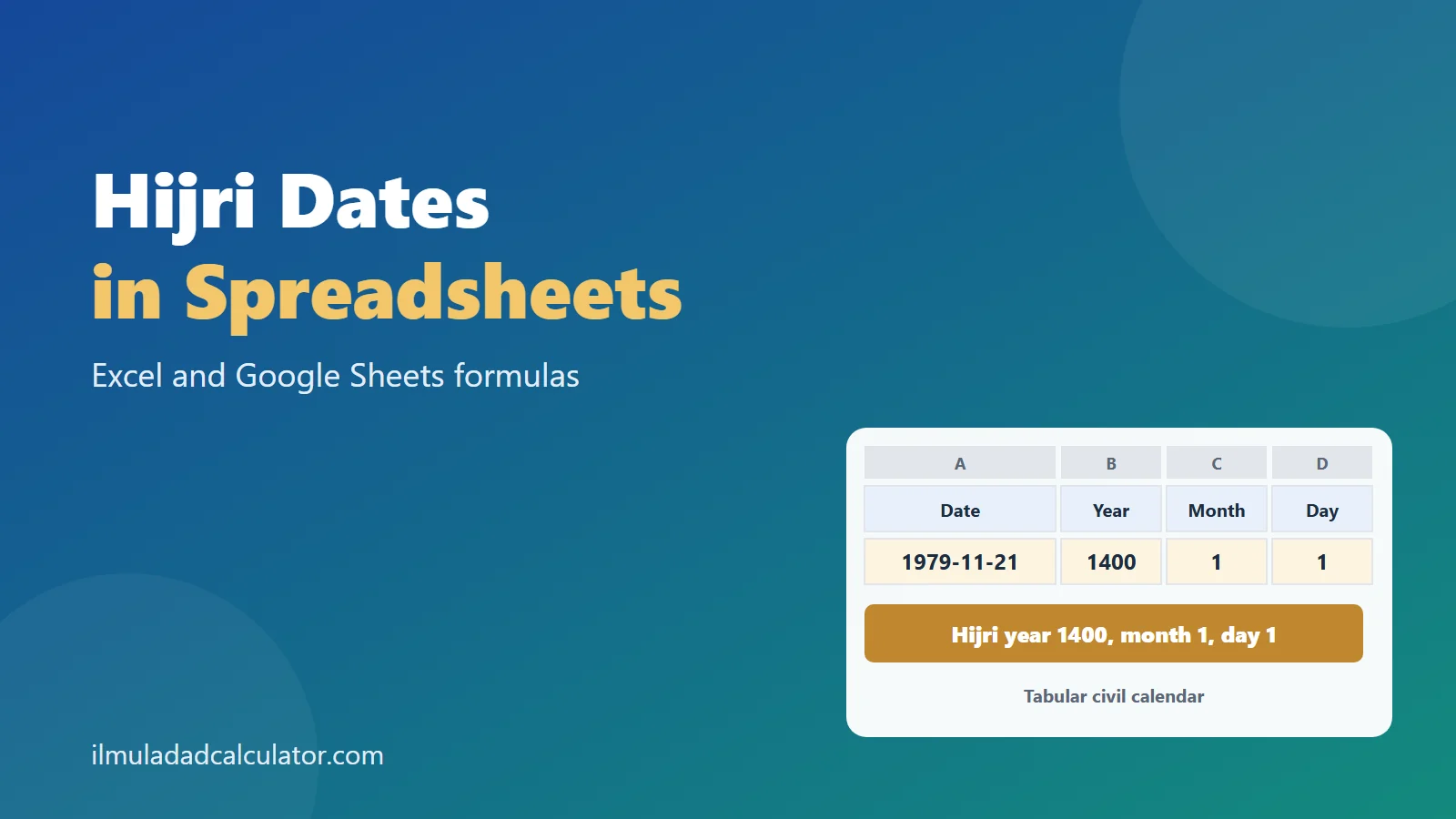
Excel can show a date in a Hijri format. Both Excel and Google Sheets can also calculate one with plain arithmetic. This page gives copy-ready formulas for a year, and for a full day, month and year.
Which Ways Can a Spreadsheet Handle Hijri Dates?
There are three routes, and they do different jobs. One only changes how a date looks, one calculates it, and one looks it up.
- Display: a date format with a Hijri calendar prefix, in Excel.
- Calculate: the tabular formulas below, in Excel or Google Sheets.
- Look up: a table of published month starts, such as the Umm al-Qura calendar.
The calendar behind a number matters. Our page on Hijri calendar systems explains tabular, Umm al-Qura and sighting dates.
What Does Excel Offer Built In?
Microsoft’s pages for the TEXT function and for number format codes do not mention Hijri. We opened both and found only the usual d, m and y codes.
Hijri formats are described by community guides instead. One Excel guide shows two patterns, one with the B2 prefix and one with a locale code.
=TEXT(A2,"B2dd/mm/yyyy")
=TEXT(A2,"[$-1170401]dd/mm/yyyy")
We could not test these, so we show no output for them. That guide also reports that pivot-table grouping still follows the Gregorian calendar.
Treat built-in formats as display only. The result is text, so it cannot be sorted by Hijri month. It may also depend on your Excel version and language settings.
Microsoft’s .NET documentation says its Hijri calendar can be adjusted by zero to two days. So a Hijri date from software may sit a day or two from another source.
What About Google Sheets?
Google’s Sheets API page lists the date and time format tokens. It names no calendar selector and does not mention Hijri.
So we treat Google Sheets as having no built-in Hijri calendar, which is what the page we read shows. The calculation route below uses only INT, MOD, MIN and ROUNDUP, so it works there too.
How Do You Convert a Hijri Year to a Gregorian Year?
Put the Hijri year in A2. The rule of thumb from our Hijri to Gregorian formula page becomes one cell.
=INT(A2-A2/33+622)
=INT(A2*0.970224+621.57)
=CONCATENATE(INT(A2*0.970224+621.57)," to ",INT(A2*0.970224+621.57)+1)
The first is the short rule. The second is the longer, safer rule. The third prints the two-year range, because a Hijri year usually spans two Gregorian years.
| Hijri year (A2) | Short rule | Longer rule | Source year |
|---|---|---|---|
| 1044 | 1634 | 1634 | 1634 |
| 952 | 1545 | 1545 | 1545 |
| 1285 | 1868 | 1868 | 1868 |
| 1400 | 1979 | 1979 | 1979 |
We tested every Hijri year from 1 to 1500. The longer rule gave the exact starting year 1,494 times out of 1,500. All 1,500 two-year ranges held the whole Hijri year in the tabular calendar.
Going the Other Way
To turn a Gregorian year in A2 into a Hijri year, use this cell.
=INT((A2-622)*33/32)For 1869 it returns 1285, the year of Ghalib’s death in February 1869. Because the true answer is a pair of years, also test the next year, 1286.
How Do You Calculate a Full Hijri Date From a Gregorian Date?
This needs a day-level rule, and the tabular civil calendar gives one. It repeats every 30 years, with 11 long years of 355 days.
Odd months have 30 days and even months have 29, with month 12 gaining a day in a leap year. Microsoft’s HijriCalendar page lists the same leap years. They are the 2nd, 5th, 7th, 10th, 13th, 16th, 18th, 21st, 24th, 26th and 29th.
Set Up the Sheet
Type a Gregorian date in A2, then put one formula in each of B2 to E2.
B2  Days since epoch  =A2+466579
C2  Hijri year       =INT((30*B2+10646)/10631)
D2  Hijri month      =MIN(12,INT((B2-((C2-1)*354+INT((3+11*C2)/30)))/29.5)+1)
E2  Hijri day        =B2-((C2-1)*354+INT((3+11*C2)/30))-ROUNDUP(29.5*(D2-1),0)+1
Spreadsheets store dates as serial numbers. Microsoft states that 1 January 2008 is 39448, and Google counts days from 30 December 1899.
The constant 466579 joins that count to the Hijri epoch. Serial 0 is Julian day 2,415,019. And 1 Muharram 1 AH is Julian day 1,948,440, so the gap is 466,579.
One Date Worked by Hand
- For 21 November 1979, the serial number is 29,180. Add 466,579 to get B2 = 495,759.
- Year: (30 × 495,759 + 10,646) ÷ 10,631 gives 1400.0015. INT keeps 1400.
- Start of year 1400: 1399 × 354 + INT((3 + 11 × 1400) ÷ 30) = 495,759. That equals B2, so the day count into the year is 0.
- Month: INT(0 ÷ 29.5) + 1 = 1. Day: 0 − 0 + 1 = 1.
The sheet reads 1 Muharram 1400. Wikipedia’s Islamic calendar article gives the same Gregorian date, 21 November 1979.
The Reverse Direction
Put a Hijri year, month and day in B2, C2 and D2. This cell returns the Gregorian serial number, so format it as a date.
=D2+ROUNDUP(29.5*(C2-1),0)+(B2-1)*354+INT((3+11*B2)/30)-466580Entering 1400, 1 and 1 returns 29,180, which displays as 21 November 1979. Here the day is in D2, the month in C2 and the year in B2.
How Do You Fill a Whole Column?
Paste your Gregorian dates into column A, then fill B2 to E2 down to the last row. The cell references move with each row, so no edits are needed.
- Make sure column A holds real dates, not text. A real date lines up to the right by default.
- Fill B, C, D and E down together, so each row uses its own date.
- Format B to E as General or Number, not as dates.
- Check the first row against a known date before you trust the rest.
If a row shows a strange year, look at column A first. A date typed in the wrong regional order is the most common cause.
How Do You Show the Month Name?
Column D holds a number from 1 to 12. To show the name, use CHOOSE with the twelve month names in order.
=CHOOSE(D2,"Muharram","Safar","Rabi I","Rabi II","Jumada I","Jumada II","Rajab","Shaban","Ramadan","Shawwal","Dhu al-Qada","Dhu al-Hijja")The names and their order are on the Hijri months page. To build a single text date, join the day, the name and the year with CONCATENATE.
Do the Formulas Match Real Dates?
We emulated each formula step by step in Python and compared it with known dates. We also compared it with an independent Julian day number routine, for every day from 1 AH to 1700 AH.
| Anchor | Source says | Formula gives |
|---|---|---|
| 1 Muharram 1 AH | Julian 16 July 622 | 1 Muharram 1 |
| 1 Muharram 1400 AH | 21 November 1979 | 1 Muharram 1400 |
| End of 1448 AH | about 5 June 2027 | 29 Dhu al-Hijja 1448 |
| 1 January 2001 | 6 Shawwal 1421, roughly | 5 Shawwal 1421 |
The first row needs care, because a spreadsheet cannot hold a date before 1900. So 1 Muharram 1 AH was checked as a day count of zero. It falls on 19 July 622 in the Gregorian calendar, which is 16 July in the Julian.
Honest note: these formulas were checked by emulation in Python, not inside Excel or Google Sheets. They use only standard functions, so they should behave the same. Test the 1 Muharram 1400 example before you trust a long list.
Which Helper Cells Are Also Useful?
Two small formulas help with schedules and lists. The leap test needs the Hijri year in A2. The month-length formula needs the year in A2 and the month in B2.
=IF(MOD(11*A2+14,30)>10,"common","leap")
=IF(MOD(B2,2)=1,30,IF(B2=12,IF(MOD(11*A2+14,30)>10,29,30),29))
The leap test uses a short rule. Year Y is long when (11 × Y + 14) mod 30 is less than 11. So the cell tests for more than 10 to find a common year.
Can You Feed an Abjad Total Into the Sheet?
Yes. A chronogram gives a Hijri year as a letter total, and the year cells above take it from there.
One tile line at the Wazir Khan Mosque, سجدہ گاہ اہل فضل, totals 1044 in the engine. Put 1044 in A2. The longer rule returns 1634, and so does the short rule.
The ILCAA study of the tiles gives 1044 AH as 1634 to 1635. For the letter arithmetic, see how to read a chronogram.
What Are the Limits of These Formulas?
- One calendar variant. They follow the tabular civil calendar with a Friday epoch. Tables that use a Thursday epoch shift every date by a day.
- Not Umm al-Qura. Umm al-Qura is a table-based calendar. Microsoft’s documentation says its tables cover only 1900 to 2077 in Gregorian terms.
- Not sighting. A date that depends on a human observation cannot come from any formula.
- Gregorian only. The inputs are Gregorian dates. Sources before 1582 use Julian dates, so convert those first.
- After 1900. Spreadsheet dates start in 1900, so use the day-count form for earlier history.
The gap between a tabular date and an Umm al-Qura date is shown on the calendar systems page. Match the variant to your source before you compare dates.
When a result looks one day off, check the variant first. A formula, a table and a printed calendar can all be right for their own rules.
This page makes no claim about the correct day for any observance. It explains arithmetic only. The wider set of pages is on the calendar hub.
خلاصہ
ایکسل میں ہجری تاریخ دکھانے کے فارمیٹ کوڈ کمیونٹی گائیڈز میں ملتے ہیں، مگر مائیکروسافٹ کے متعلقہ صفحات میں ان کا ذکر نہیں ملا۔ گوگل شیٹس میں ہجری کیلنڈر کا کوئی بنا بنایا انتخاب نہیں ملا۔ دونوں میں سادہ حسابی فارمولوں سے ہجری سال اور پوری تاریخ نکالی جا سکتی ہے۔ یکم محرم ۱۴۰۰ ہجری کی تاریخ ۲۱ نومبر ۱۹۷۹ بنتی ہے۔ فارمولوں کی جانچ پائتھن میں کی گئی ہے، ایکسل کے اندر نہیں۔ یہ فارمولے صرف جدولی سول کیلنڈر کے ہیں، ام القریٰ یا رویت کے نہیں۔
Sources and Further Reading
- TEXT function, Microsoft Support. Date codes d, m and y, with no Hijri codes.
- Number format codes, Microsoft Support. Standard date codes only.
- DATEVALUE function, Microsoft Support. Serial numbers, with 1 January 2008 as 39448.
- HijriCalendar class, Microsoft Learn. The 30-year cycle, leap years, month lengths and the adjustment of zero to two days.
- UmAlQuraCalendar class, Microsoft Learn. A table-based calendar covering 1900 to 2077.
- Date and number formats, Google Sheets API. Format tokens, the 30 December 1899 day count and no calendar selector.
- Excel date and calendar format codes, Belajar Excel (updated 2020). Community examples of the B2 and locale-code patterns.
- Islamic calendar, Wikipedia. The epoch of Friday, 16 July 622 Julian, 1 Muharram 1400 AH as 21 November 1979, and the Kuwaiti algorithm.
- Tabular Islamic calendar, Wikipedia. Month lengths and 10,631 days in 30 years.
- Deciphering the Construction Date of a Mosque Hidden in Its Mosaic Tiles, ILCAA. The year 1044 AH as 1634 to 1635.
- Abjad totals come from this site’s tested engine. See the methodology.
Frequently Asked Questions
Does Excel have a built-in Hijri calendar?
Community guides describe Hijri date formats in Excel. Microsoft’s TEXT and number format pages do not mention them, and the output is text.
Does Google Sheets support Hijri dates?
The Sheets format page we read lists no calendar selector. Use the arithmetic formulas or a lookup table instead.
What is the formula for a Hijri year in a sheet?
Use =INT(A2*0.970224+621.57) for the Gregorian year in which a Hijri year begins. It can be one off at boundaries.
Do these formulas give Umm al-Qura dates?
No. They follow the tabular civil calendar, and Umm al-Qura month starts can differ by a day or two.
Were the formulas tested in Excel?
No. They were emulated in Python and compared with sourced dates. Test one known date in your own sheet.