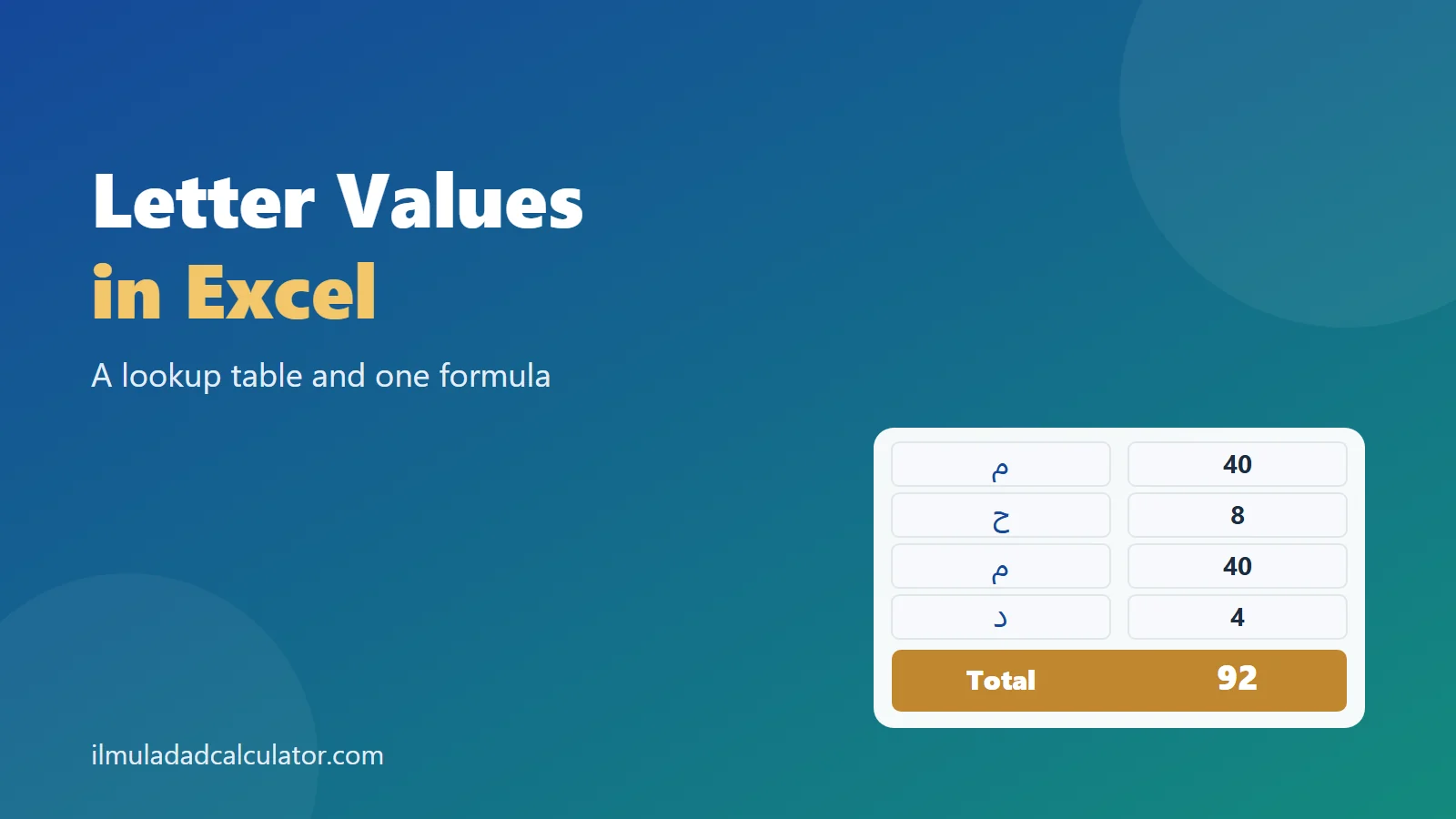
To calculate letter values in Excel or Google Sheets, list the letters and their values in two columns. Then use one SUMPRODUCT formula that counts each letter and multiplies by its value. For محمد the sheet returns 92.
What Do You Need Before You Start?
You need a spreadsheet, the text you want to count, and a lookup table of letter values. The formula does the same job as adding by hand, only faster.
If you are still learning the values, begin with calculating by hand. A sheet is best once you know what the answer should look like.
This page uses the common Mashriqi values, with alif as 1 and ghayn as 1000. For the other system, see why values differ.
How Should You Lay Out the Lookup Table?
Keep the layout simple. Put the text in column A and the result in column B. Keep the table in columns D and E.
Type the letters in D and their values in E, starting at row 2. The table below shows the 28 base letters in the abjad order.
| Letter | Value | Letter | Value | Letter | Value | Letter | Value |
|---|---|---|---|---|---|---|---|
| ا | 1 | ب | 2 | ج | 3 | د | 4 |
| ه | 5 | و | 6 | ز | 7 | ح | 8 |
| ط | 9 | ي | 10 | ك | 20 | ل | 30 |
| م | 40 | ن | 50 | س | 60 | ع | 70 |
| ف | 80 | ص | 90 | ق | 100 | ر | 200 |
| ش | 300 | ت | 400 | ث | 500 | خ | 600 |
| ذ | 700 | ض | 800 | ظ | 900 | غ | 1000 |
Tip: make sure column E holds real numbers, not text. A value stored as text is ignored by the formula and the total comes out too low.
Which Extra Rows Does an Urdu Sheet Need?
Urdu and Arabic texts use many letter shapes that count as a base letter. Add one row for each shape, so the sheet never skips a letter.
| Letters | Values | What they are |
|---|---|---|
| أ إ آ ٱ | 1 1 1 1 | Alif with hamza or madda |
| ؤ | 6 | Waw with hamza |
| ئ ى ی ے ۓ | 10 10 10 10 10 | Ya forms and alif maqsura |
| ة ۃ ہ ۀ ۂ ھ | 5 5 5 5 5 5 | Ta marbuta and the Urdu he forms |
| ک | 20 | Urdu kaf |
| گ | 20 | Gaf, counted as kaf |
| پ چ ژ | 2 3 7 | Persian letters, counted as ba, jim and zay |
| ٹ ڈ ڑ | 400 4 200 | Urdu retroflex letters, counted as ta, dal and ra |
| ں | 50 | Nun ghunna, counted as nun |
| ﻻ | 31 | The joined lam-alif form |
These rows bring the table to 54 entries, ending at row 55. Standalone hamza (ء) is left out on purpose, so it adds nothing. See hamza in Ilm-ul-Adad if you want to count it.
Which Formula Calculates the Value?
Type the text in cell A2, then put this formula in B2. It works in Excel and in Google Sheets.
=SUMPRODUCT((LEN(A2)-LEN(SUBSTITUTE(A2,$D$2:$D$55,"")))*$E$2:$E$55)Change the two range endings if your table is shorter or longer. Some regional settings use a semicolon instead of a comma between the arguments.
How Does the Formula Work?
The formula repeats one small trick for every row of the table. It removes a letter from the text and measures how much shorter the text became.
- SUBSTITUTE deletes every copy of the letter from the text.
- LEN counts characters, so the drop in length equals the number of copies.
- SUMPRODUCT multiplies each count by its value and adds the results.
Vowel marks, spaces and tatweel are not in the table, so they never add anything. That matches the engine, which also ignores them.
How Do You Know the Formula Is Right?
We repeated the formula’s steps in Python and compared the answers with this site’s engine. The check used 54 table rows, four well-known texts and 5,000 random strings.
| Text | Engine | SUMPRODUCT formula | XLOOKUP formula |
|---|---|---|---|
| محمد | 92 | 92 | 92 |
| علي | 110 | 110 | 110 |
| الله | 66 | 66 | 66 |
| بسم الله الرحمن الرحيم | 786 | 786 | 786 |
Honest note: this check was done in Python, not inside Excel. The formulas use only standard functions, so they should behave the same in your sheet. Test the four texts above before you trust a long list.
Is There a Formula for Newer Versions?
Excel 2021 and Excel 365 also support a version that reads the text one character at a time. It looks up each character and adds the values it finds.
=IF(A2="",0,SUM(XLOOKUP(MID(A2,SEQUENCE(LEN(A2)),1),$D$2:$D$55,$E$2:$E$55,0)))Characters missing from the table return 0, so spaces and vowel marks are harmless. This version is easier to read for some people, while the first works in older files.
How Do You Calculate a Whole List?
Fill the formula down column B beside a list of names in column A. The dollar signs lock the table, so each row reads the same letters and values.
- Paste your names into column A, one name per row.
- Enter the formula in B2.
- Drag the fill handle down to the last name.
- Check the first few rows against a known answer.
For full names, the sheet gives the total of all words in a cell. To see each word’s total, split the name into separate cells first.
How Do You Set Up the Sheet Step by Step?
Setting up takes a few minutes. After that, the sheet is ready for as many names as you like.
- Open a blank sheet and type the headings Text, Result, Letter and Value in row 1.
- Type the 28 base letters in column D and their values in column E.
- Add the extra letter shapes below them, down to row 55.
- Type a name in A2 and paste the formula into B2.
- Test the four texts from the check table before using the sheet for real work.
How Do You Type Arabic and Urdu in a Cell?
Add an Arabic or Urdu keyboard in your system settings, then switch to it before typing. Cells can show right-to-left text, and the formula still reads the letters in the same way.
If the letters look separated or reversed, change the cell direction in the alignment options. The stored letters stay the same, so the total is not affected.
Can You Count How Often a Letter Appears?
The same trick works on its own. To count one letter, remove it with SUBSTITUTE and compare the lengths.
=LEN(A2)-LEN(SUBSTITUTE(A2,"م",""))For محمد this returns 2, because mim appears twice. Place one such formula beside each letter of the table. That builds a letter count for a list of names.
How Do You Switch to Maghribi Values?
Add a third column F with the Maghribi values, and point the formula at column F instead of E. The letters in column D stay as they are.
Only six letters change between the two systems. Here they are, with the value used in each.
| Letter | Mashriqi | Maghribi |
|---|---|---|
| س | 60 | 300 |
| ص | 90 | 60 |
| ش | 300 | 1000 |
| ض | 800 | 90 |
| ظ | 900 | 800 |
| غ | 1000 | 900 |
We checked the Maghribi column the same way, using the formula steps against the engine. The Basmala gives 1026 in the Maghribi system. Other values can differ too, so keep one column per system and label each clearly.
How Can You Make the Sheet Easier to Use?
A few small habits make a sheet easier to trust and to share. None of them changes the arithmetic.
- Name the ranges. Call the letters Letters and the values Values, so the formula reads more clearly.
- Freeze the header row. The headings stay in view while you scroll a long list of names.
- Add a note column. Record the system and any rule, such as hamza not counted.
- Keep the table on its own tab. Then you can copy the formula between files without breaking it.
If you name the ranges, the formula can read like a sentence. Count the letters in the text, then multiply by the values.
What Can a Spreadsheet Not Decide for You?
A formula only adds. It cannot choose a spelling, and it cannot tell whether two spellings are the same name.
For example, اسماعیل gives 212 and اسمعیل gives 211. Both are real spellings of one name, so the sheet will return two different totals.
That is why the choice of spelling should come first. The page on how spelling changes the value explains the differences, and the totals are arithmetic only.
Can the Formula Handle a Whole Phrase?
Yes. Spaces have no value, so a phrase works exactly like a single word. The Basmala, بسم الله الرحمن الرحيم, returns 786 in one cell.
Its four words add up as 102 + 66 + 329 + 289. To see them separately, put each word in its own cell and total the cells with SUM.
The worked examples page shows more phrases with their totals. Use them as test cases for your own sheet.
What Is a Quick Checklist Before You Trust the Sheet?
Run through this short list each time you build a new sheet or copy an old one.
- The table has one row for every letter shape in your texts.
- Column E holds numbers, and the formula ranges end at the last table row.
- The four test texts give 92, 110, 66 and 786.
- The system is written beside the result, so a reader knows which values were used.
Teachers can share the sheet with students for practice, and researchers can run long name lists. Developers can reuse the same table in code, since the logic is only counting and multiplying.
What Problems Come Up Most Often?
- The result is 0. The text may be in Latin letters, or the table range may point to the wrong cells.
- The total is too low. A letter may be missing from the table, or its value may be stored as text.
- The formula shows an error. Check for a missing bracket, or try a semicolon between arguments.
- Pasted text gives odd answers. Copied web text can contain joined presentation forms, so retype the word if a value looks wrong.
If your totals still differ from a calculator, compare them one word at a time. The worked examples give answers to check against.
When Should You Use the Calculator Instead?
A sheet suits long lists, research notes and teaching material. For a single name, the Abjad value calculator is quicker and shows every letter it counted.
If your list is of Urdu names, read how to calculate Urdu names first. It explains the spelling choices that change a total, before any formula is applied.
خلاصہ
ایکسل یا گوگل شیٹس میں حروف کی قیمت نکالنے کے لیے ایک کالم میں حروف اور دوسرے میں ان کی ابجد قیمتیں لکھیں۔ پھر ایک فارمولا ہر حرف کی گنتی کو اس کی قیمت سے ضرب دے کر جمع کر دیتا ہے۔ مثال کے طور پر «محمد» کا نتیجہ ۹۲ آتا ہے۔ فارمولے کی جانچ پائتھن میں کی گئی ہے، ایکسل کے اندر نہیں۔
Sources and Further Reading
- SUMPRODUCT, Google Docs Editors Help. How the function multiplies matching entries and adds the products.
- SUBSTITUTE function, Microsoft Support. Its text, old text and new text arguments.
- LEN and LENB functions, Microsoft Support. How character length is counted.
- All letter values come from this site’s tested engine. See the methodology.
Frequently Asked Questions
What is the Abjad formula in Excel?
Use SUMPRODUCT with LEN and SUBSTITUTE over a letter table. The formula on this page returns 92 for محمد.
Does the same formula work in Google Sheets?
Yes. SUMPRODUCT, LEN and SUBSTITUTE exist in Google Sheets, and the formula uses them the same way.
Do I need to download a file?
No. Type the table once from this page, and the formula works from there.
Why is my total different from the calculator?
Usually a letter variant is missing from the table, or the spelling differs. Add the extra rows and compare word by word.
Can I use Maghribi values?
Yes. Add a column with the Maghribi values and point the formula at it. Only six letters differ.